Team Chat
The whole shop, on the same page
Channels and direct messages alongside the work. Automations require setup and use supported status-change and parts-arrival triggers.
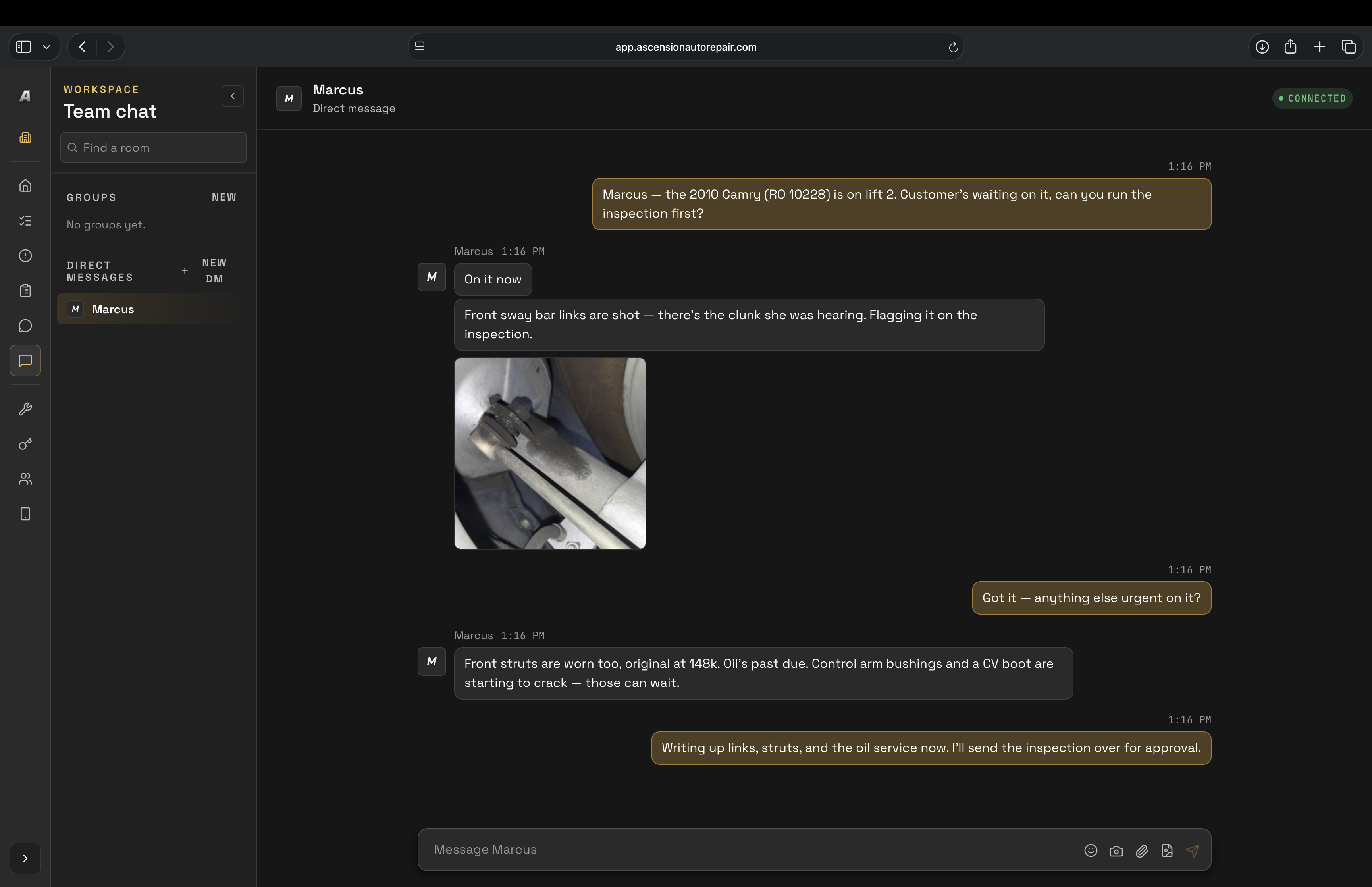
- Channels and DMs for the whole crew
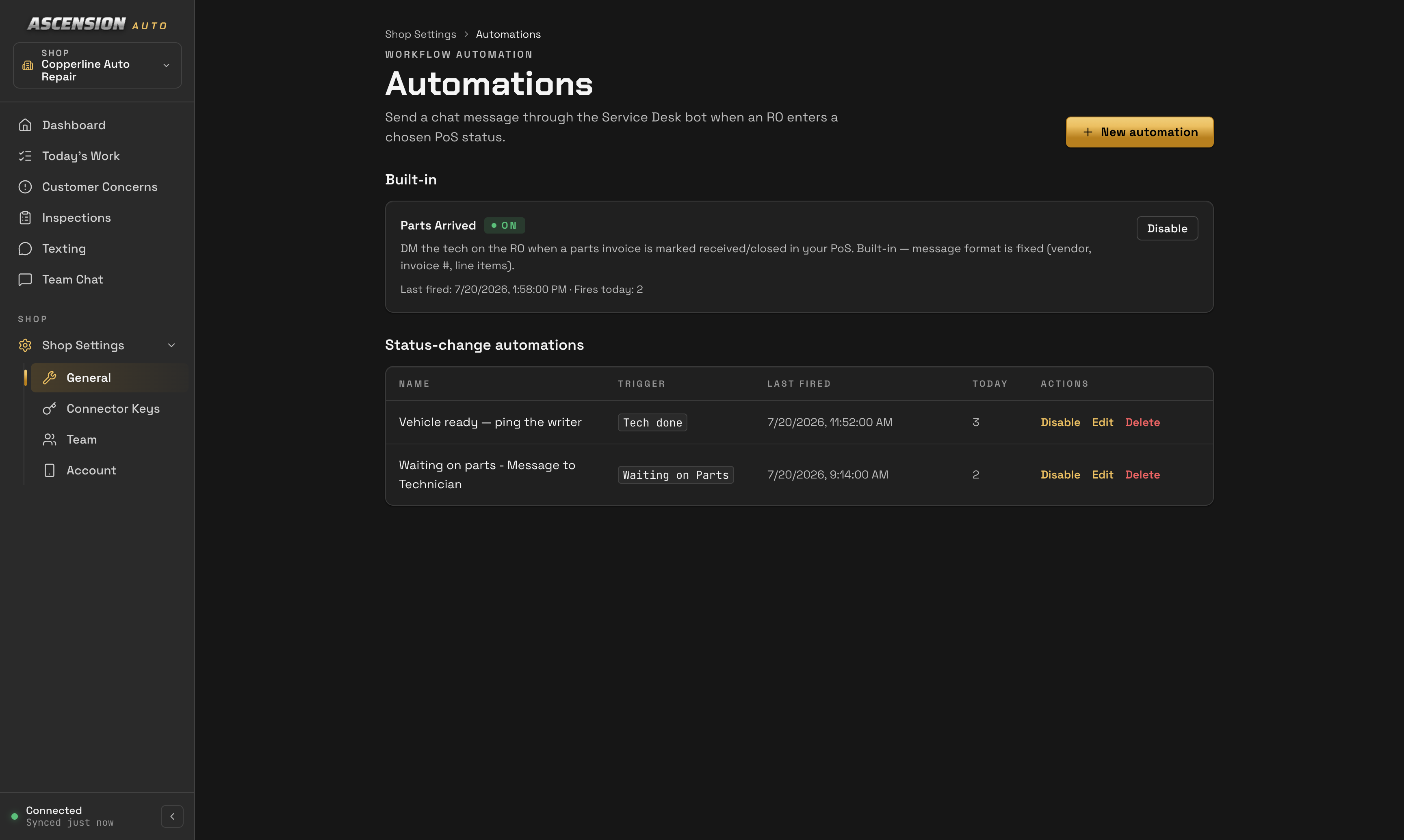
- Status-change automations
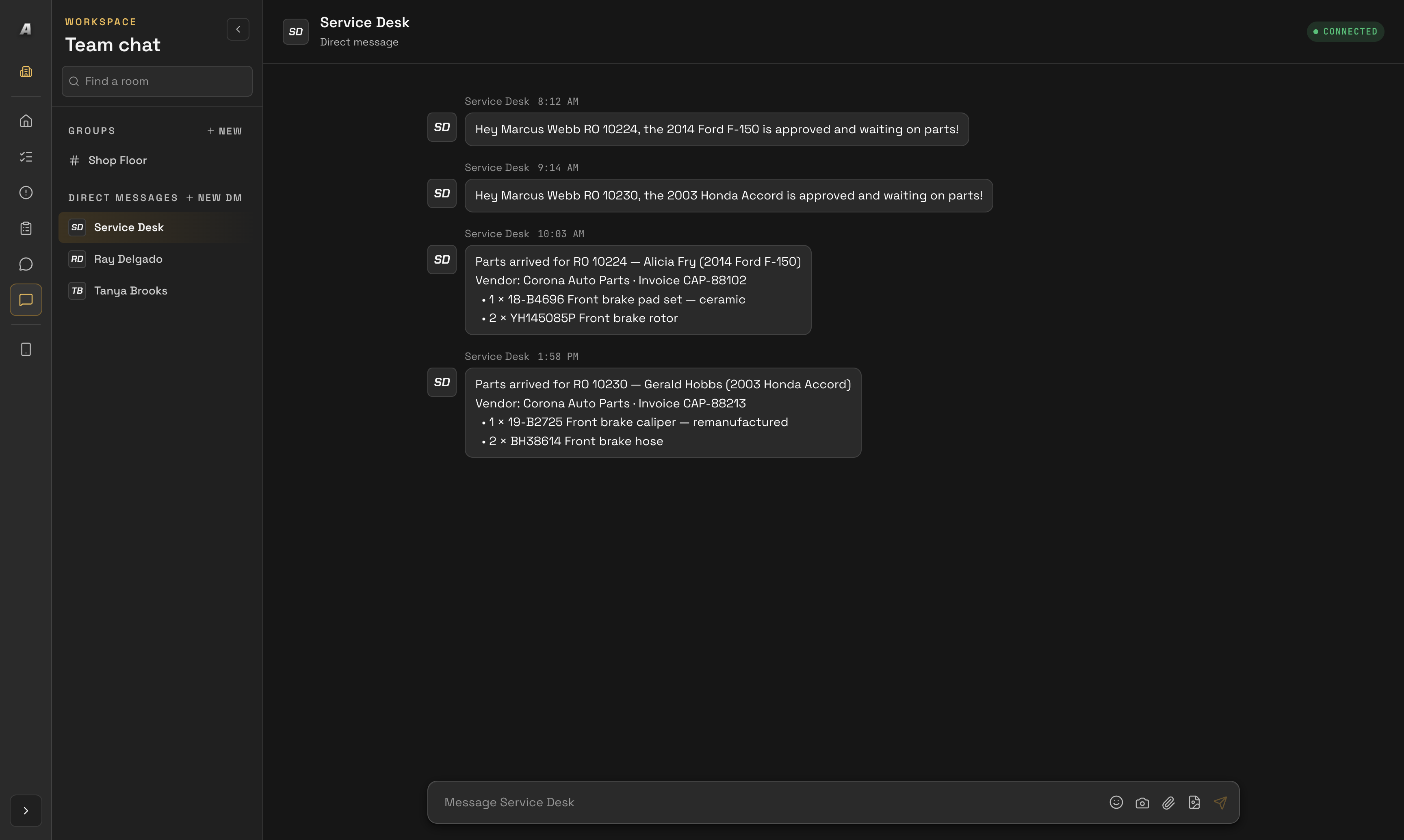
- Parts-arrived alerts
- Photos, videos, and GIFs in threads
- Built for your staff — customer texting has its own inbox
How it works
Set up the messages your team needs
- 01
Set the automation
Tie a status change to a message — Tech done, Waiting on Parts, supported repair-order statuses — and pick who hears about it.
- 02
The right person hears it
With the supported parts-arrival workflow configured, the tech gets a DM from the Service Desk bot — no walking the lot to find them.
- 03
Show, don't tell
Drop a photo, a video, or a GIF straight into the thread — the whole crew sees what the tech sees.
In your pocket
The same channels, from anywhere
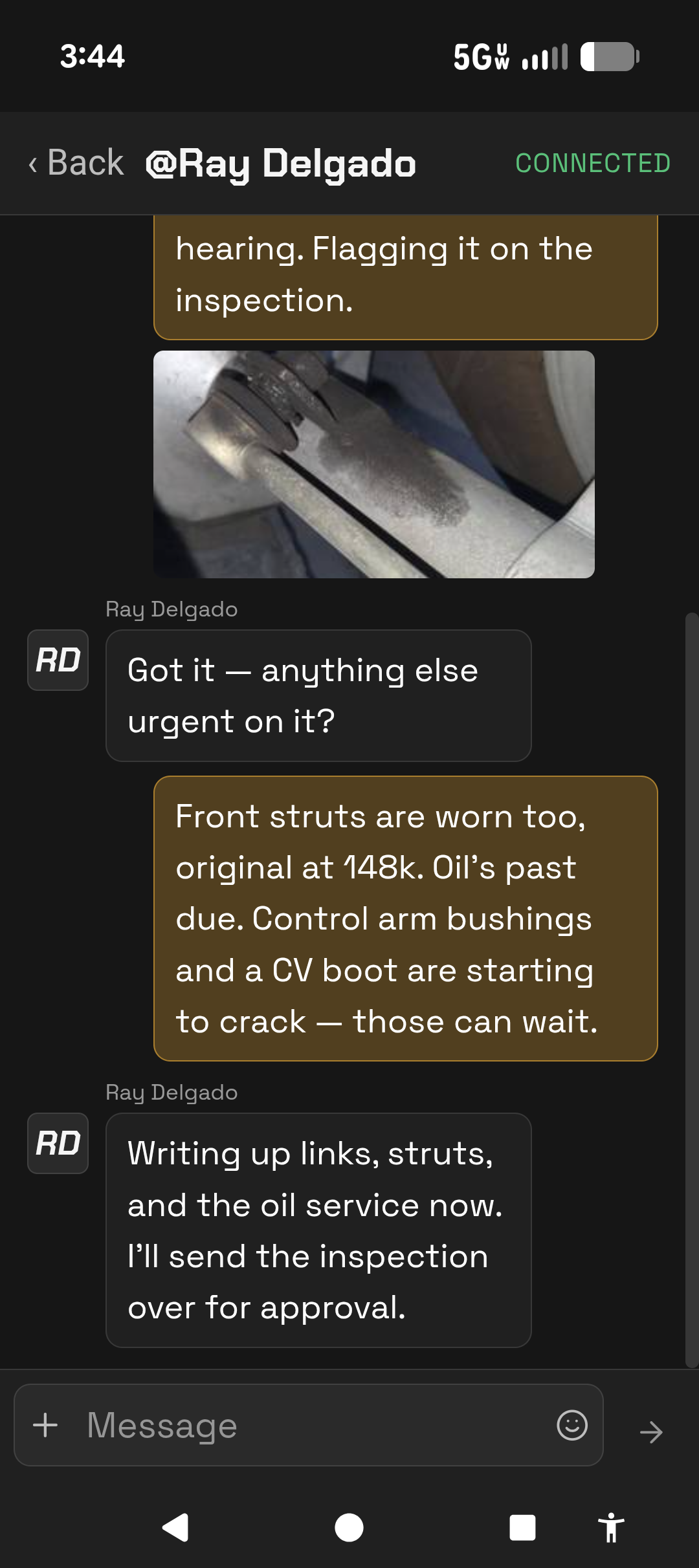
Channels, DMs, and photos — the whole conversation on your phone.
See your shop talking in one place
A 30-minute live demo — channels, automations, and the mobile app, live.
Currently supports MaxxTraxx through the Ascension connector. We’ll check your version and installation during setup. Using another point of sale? Ask about fit before booking; other integrations are not currently supported.