One-Push Quoting
The quote, on the RO in one push
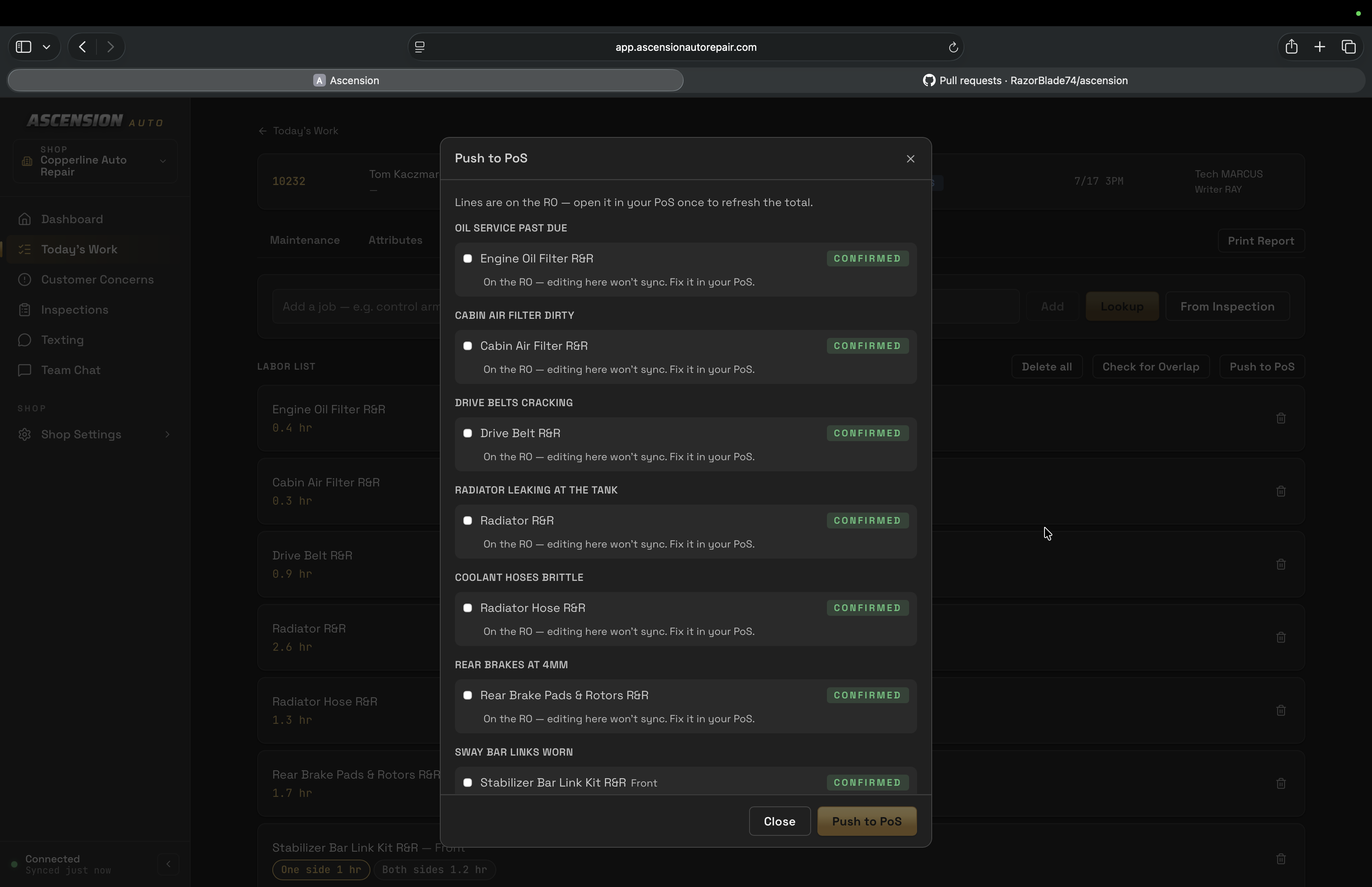
Review the inspection, look up labor times, and push selected labor and recommendations to the point-of-sale quote. Check the confirmed write before treating the push as complete.
- Labor lookup from inspection recommendations
- Saved labor stays tied to the RO
- Select lines and review hours before pushing
- Configured labor bump
- Confirmation after read-back from the point of sale
How it works
Five steps, inspection to repair order
- 01
Start with a blank labor list
After the technician records the inspection, the advisor reviews findings and recommended actions. Open the repair order to prepare labor.
- 02
Look up from the inspection
Look up labor from inspection recommendations. Review suggested matches and adjust search terms where needed.
- 03
Saved to the repair order
Save selected labor times to the repair order in Ascension for quote preparation.
- 04
Select
Pick the lines to push — tune hours and reasons before anything moves.
- 05
Push
Push selected lines to the point-of-sale quote. Queued is not confirmed: confirmation follows read-back of the written lines. Quote creation is not customer approval.
See the inspection-to-quote workflow
A staged walkthrough of advisor review, labor selection, point-of-sale quote push and confirmation. Example captures use invented shop data.
Currently supports MaxxTraxx through the Ascension connector. We’ll check your version and installation during setup. Using another point of sale? Ask about fit before booking; other integrations are not currently supported.