Digital Vehicle Inspections
The inspection, clearly explained
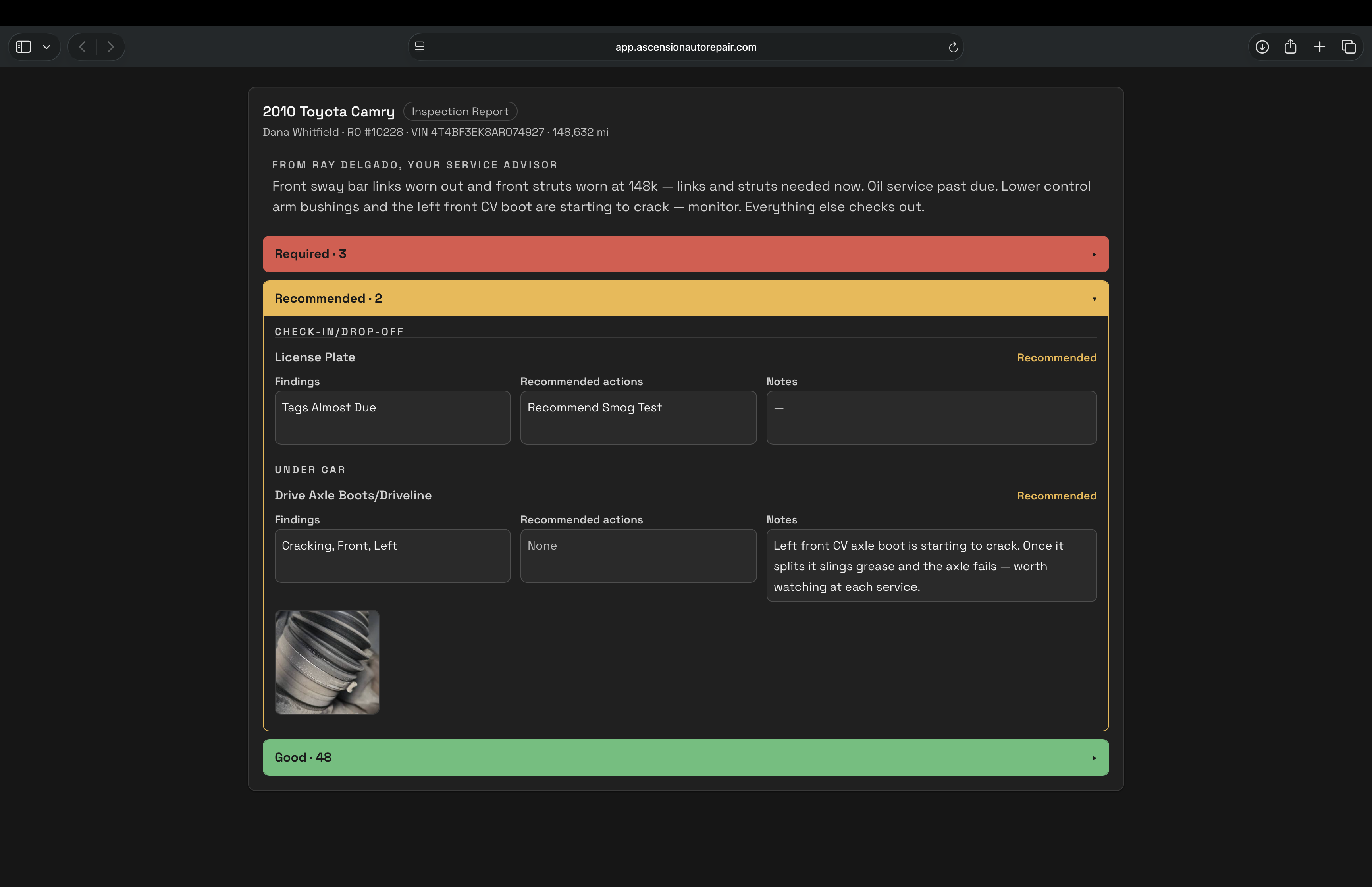
Photos, findings, plain-language summary — shared as a report customers can open on their phone.
- A photo on every finding
- Severity on every flag
- Plain-language summary
- Customer inspection reports
- Voice-Fill dictation
The part everyone stops to watch
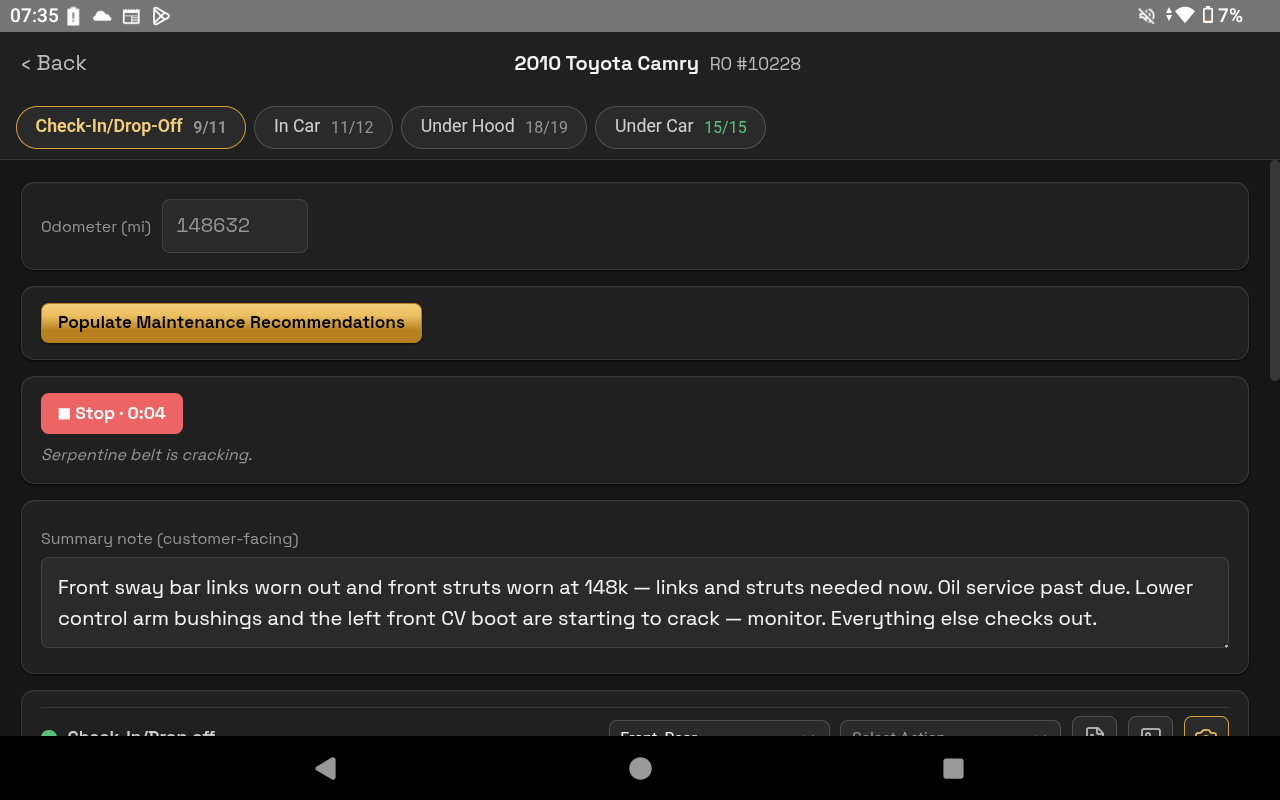
Dictate the inspection. Watch it fill itself.
How it works
From inspection to customer report
- 01
Inspect
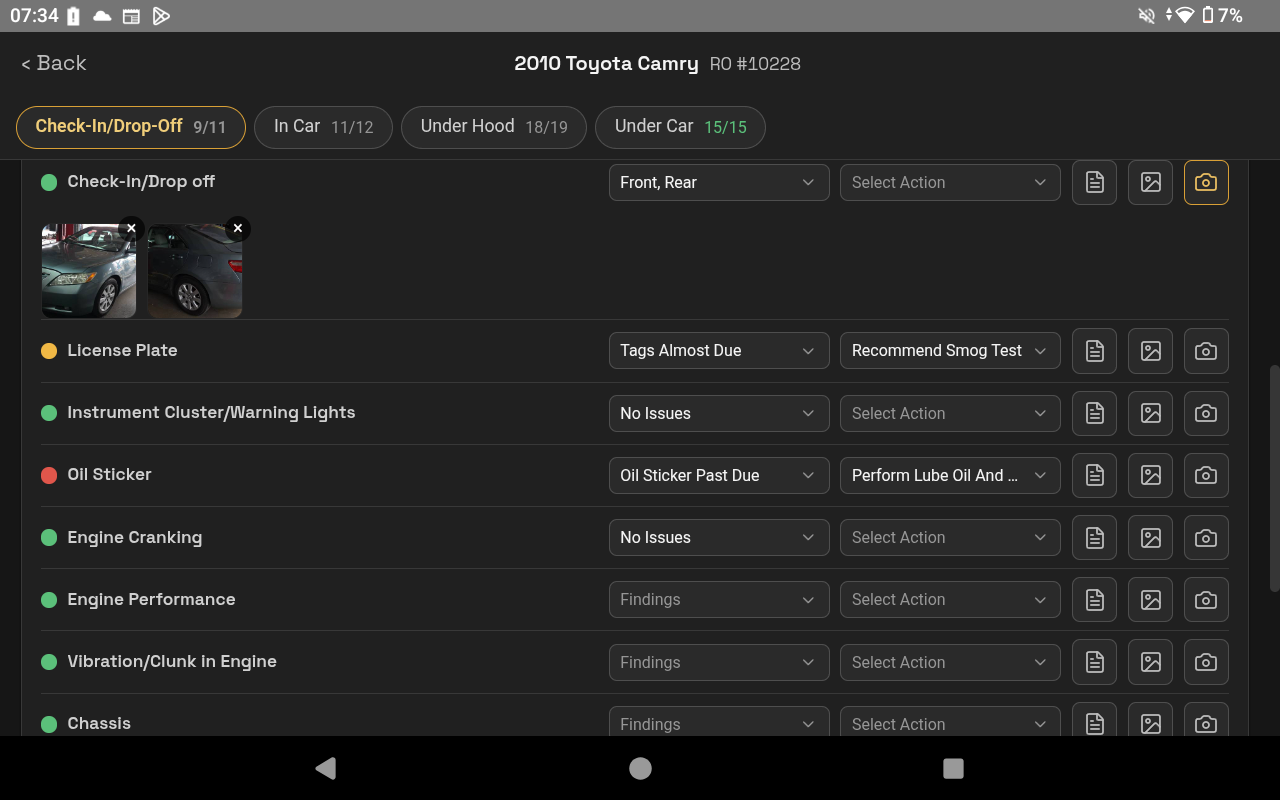
Walk the vehicle point by point — mark good, flag the rest with a photo and a severity.
- 02
Or just talk
Dictate it hands-free with Voice-Fill; say “everything else good” to close out the rest.
- 03
Send
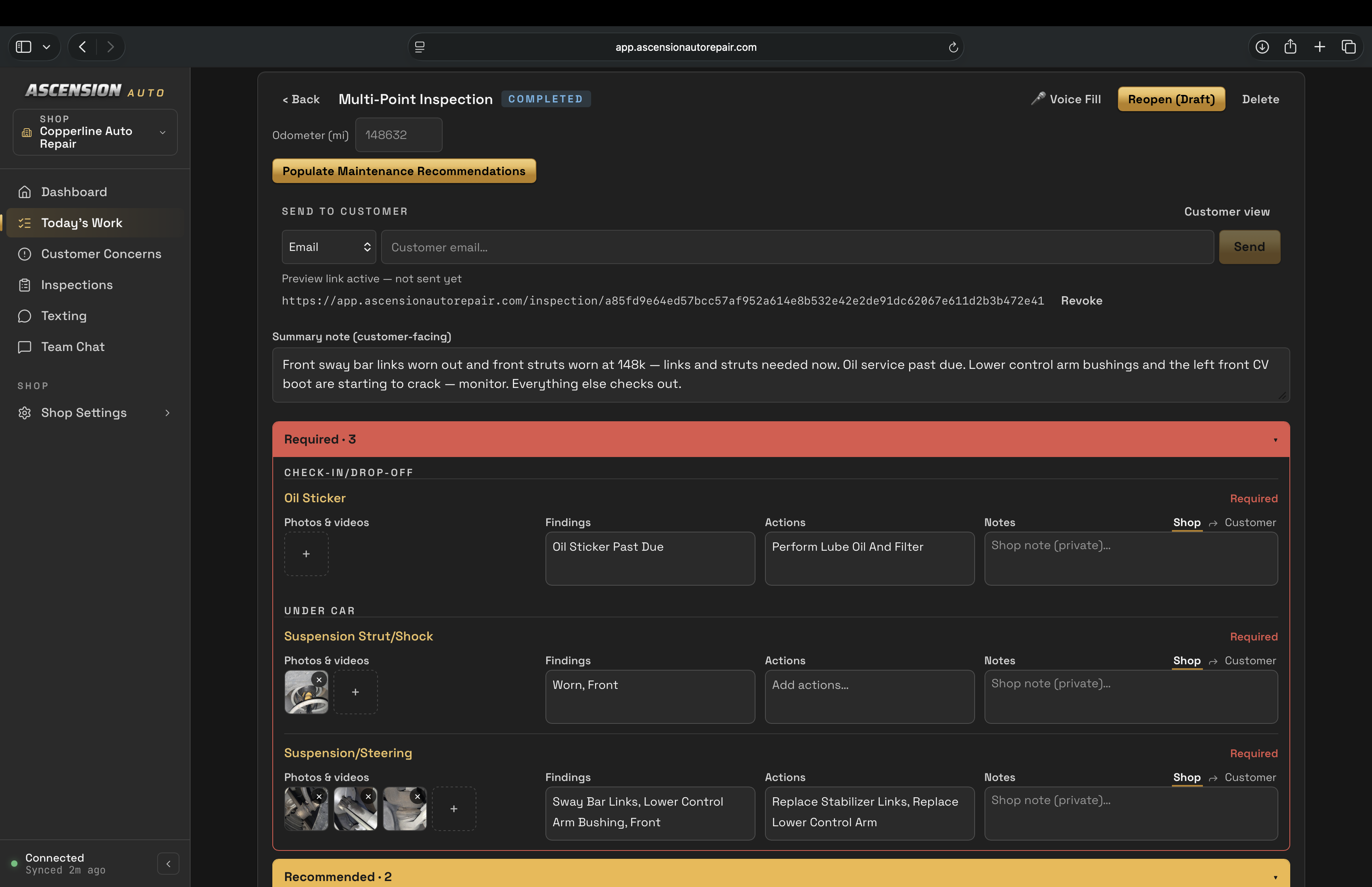
Share the customer report as a link. Text delivery requires registration and activation.
- 04
They review
Review conditions, findings and attached photos in the customer report.
On the shop floor
Fill it from the bay
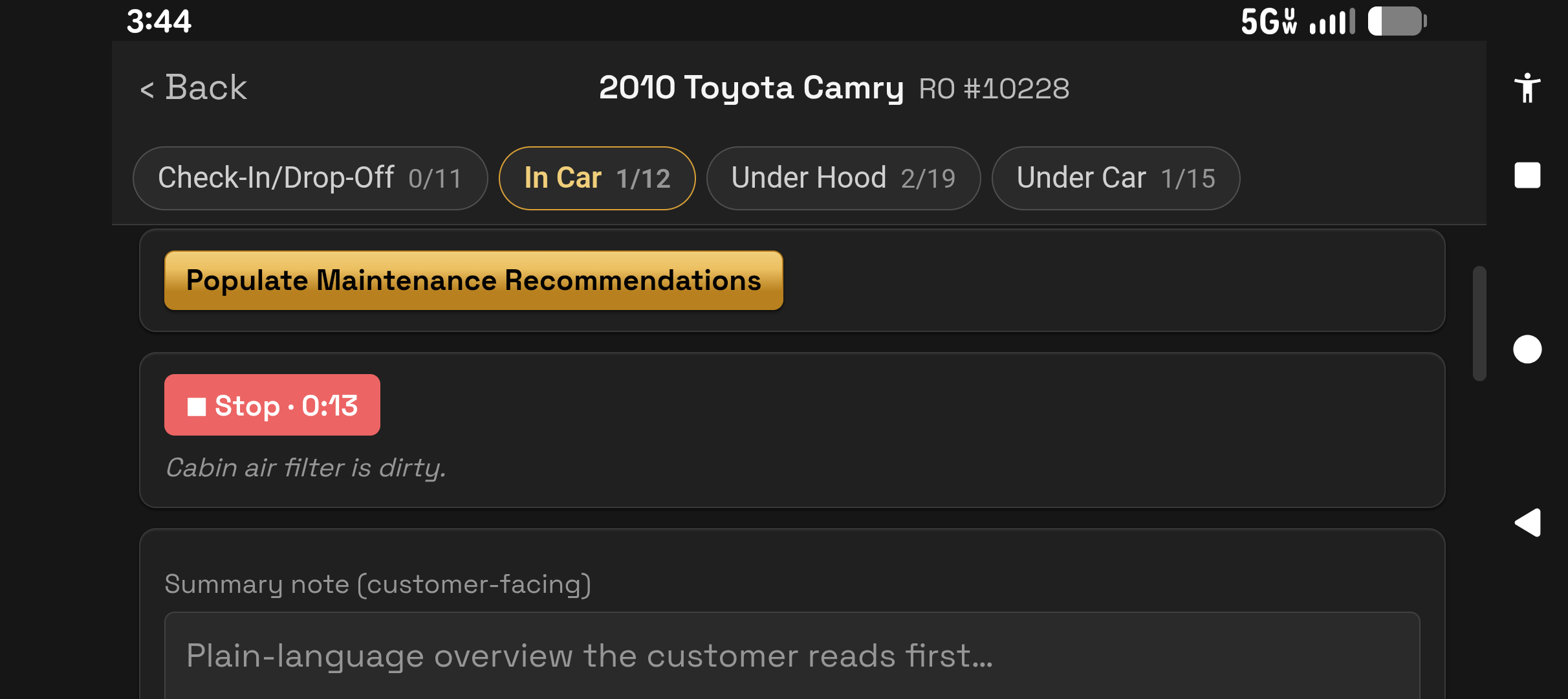
The mobile inspection screen is landscape by design — more room for the photo and the finding side by side.
See an inspection take shape
A 30-minute walkthrough using staged shop data, from entry to customer report.
Currently supports MaxxTraxx through the Ascension connector. We’ll check your version and installation during setup. Using another point of sale? Ask about fit before booking; other integrations are not currently supported.